
How to Download Bluesky Videos
1. Find the Bluesky post that contains the video
Browse Bluesky and locate the post with the video you want to save.
Valid link example:
https://bsky.app/profile/bsky.app/post/3lxxo3i4qzs2c
2. Copy the post link
Copy on desktop
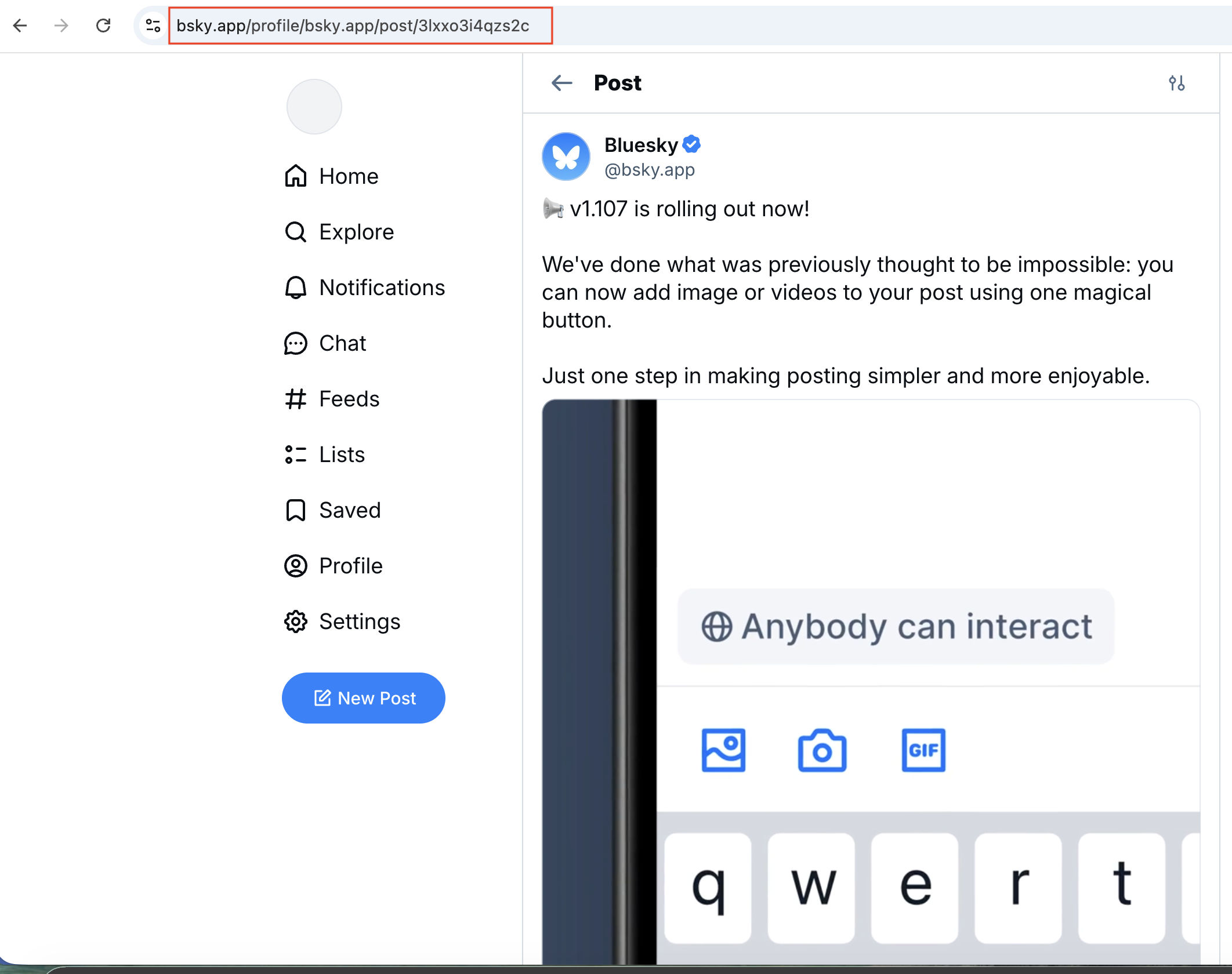
Copy the URL highlighted in red in the screenshot 🔗
Copy on the mobile app
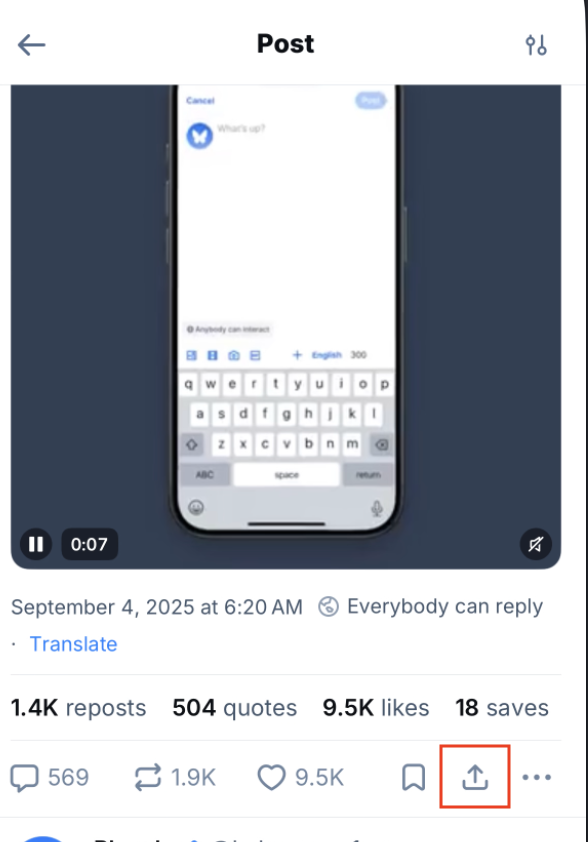
Tap the share button highlighted in red to open the options menu.
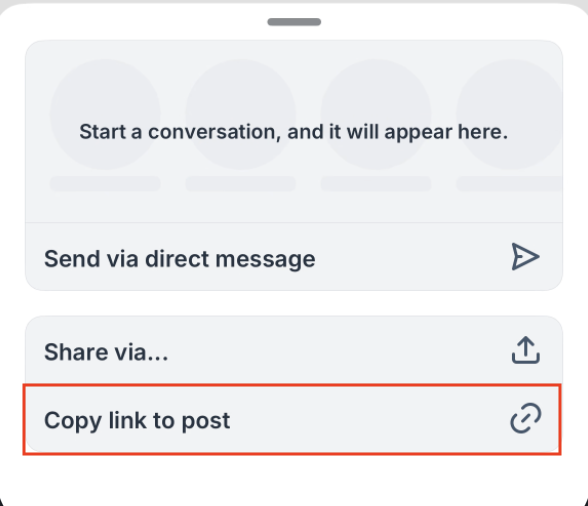
Select Copy link to grab the Bluesky video URL 🔗
3. Paste the link
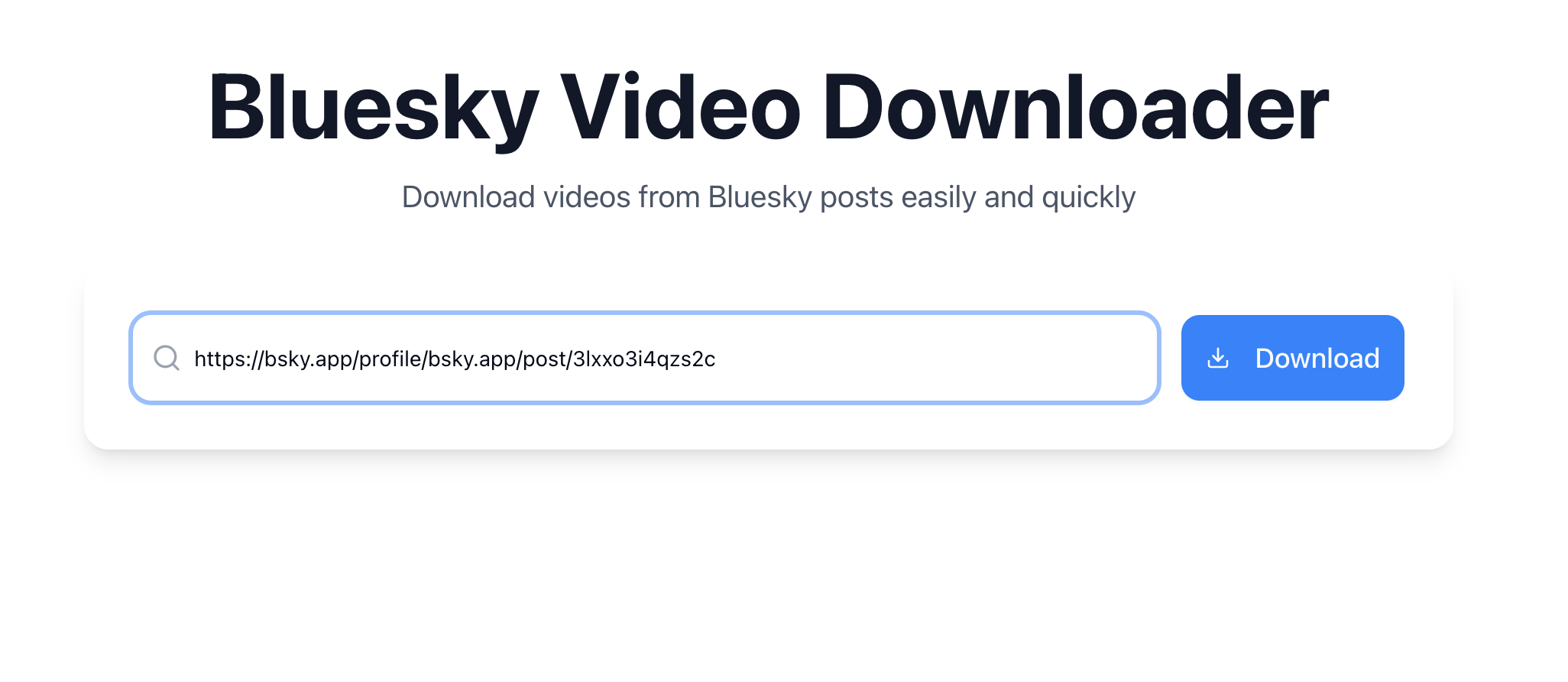
Return to the homepage and paste the copied URL into the search field. Make sure it’s complete and correctly formatted.
4. Download the video
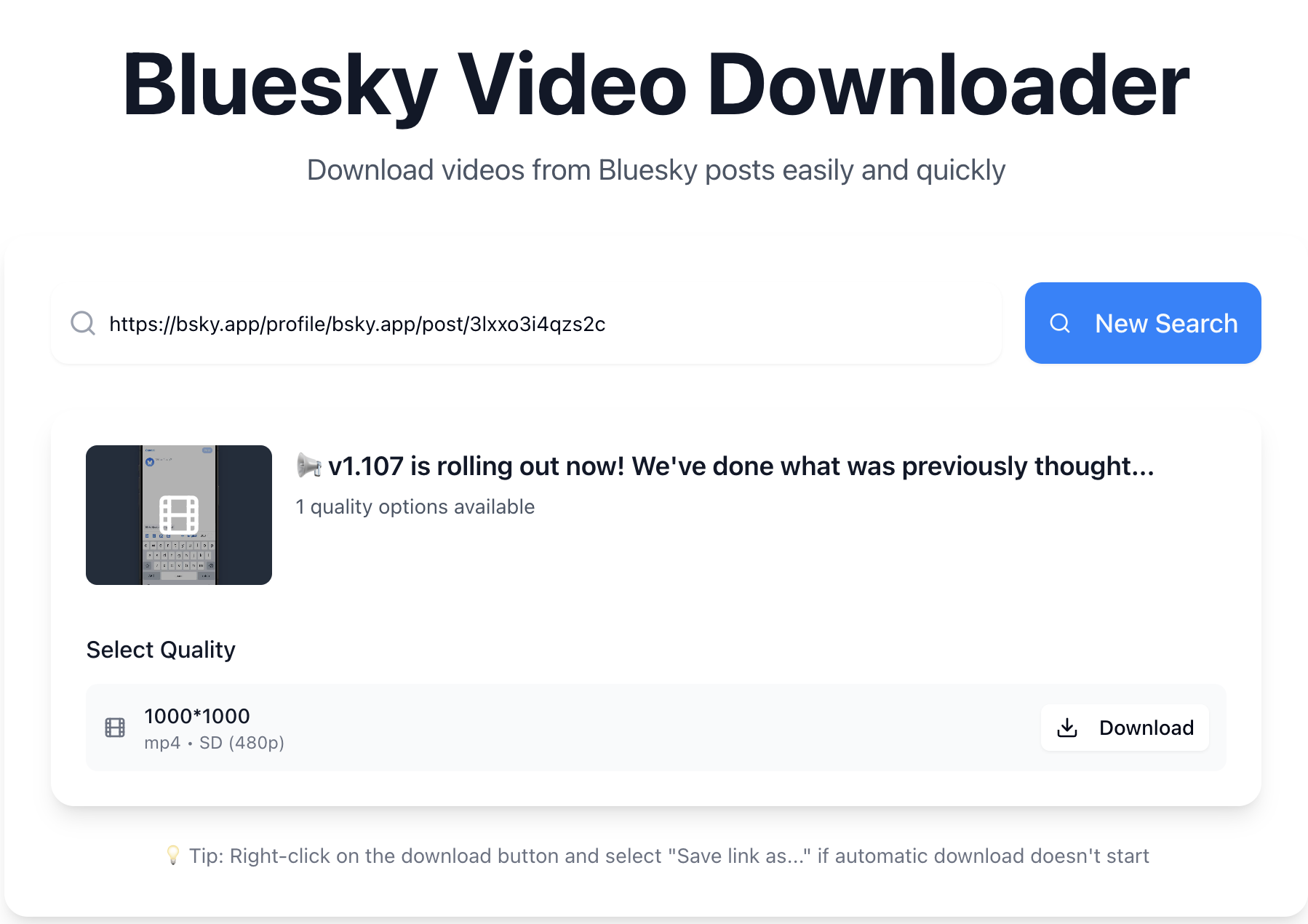
Click Download to fetch the video. The tool will list every available quality and format.
Important reminders
- Downloaded videos are for personal use only—please respect copyright.
- Videos from private or removed posts may not be accessible.