
Bluesky Video Downloader
Download videos from Bluesky posts easily and quickly
By using this service, you confirm that you have the right to download the content and accept our Terms of Service and Privacy Policy.
How to Use
Follow these simple steps to download videos from Bluesky
Find the Video Post
Open the public Bluesky post containing the video you want to save.
Copy the Post Link
On a computer, copy the post URL from the address bar. In the Bluesky app, tap Share and choose Copy link.
On desktop: copy the address bar URL. 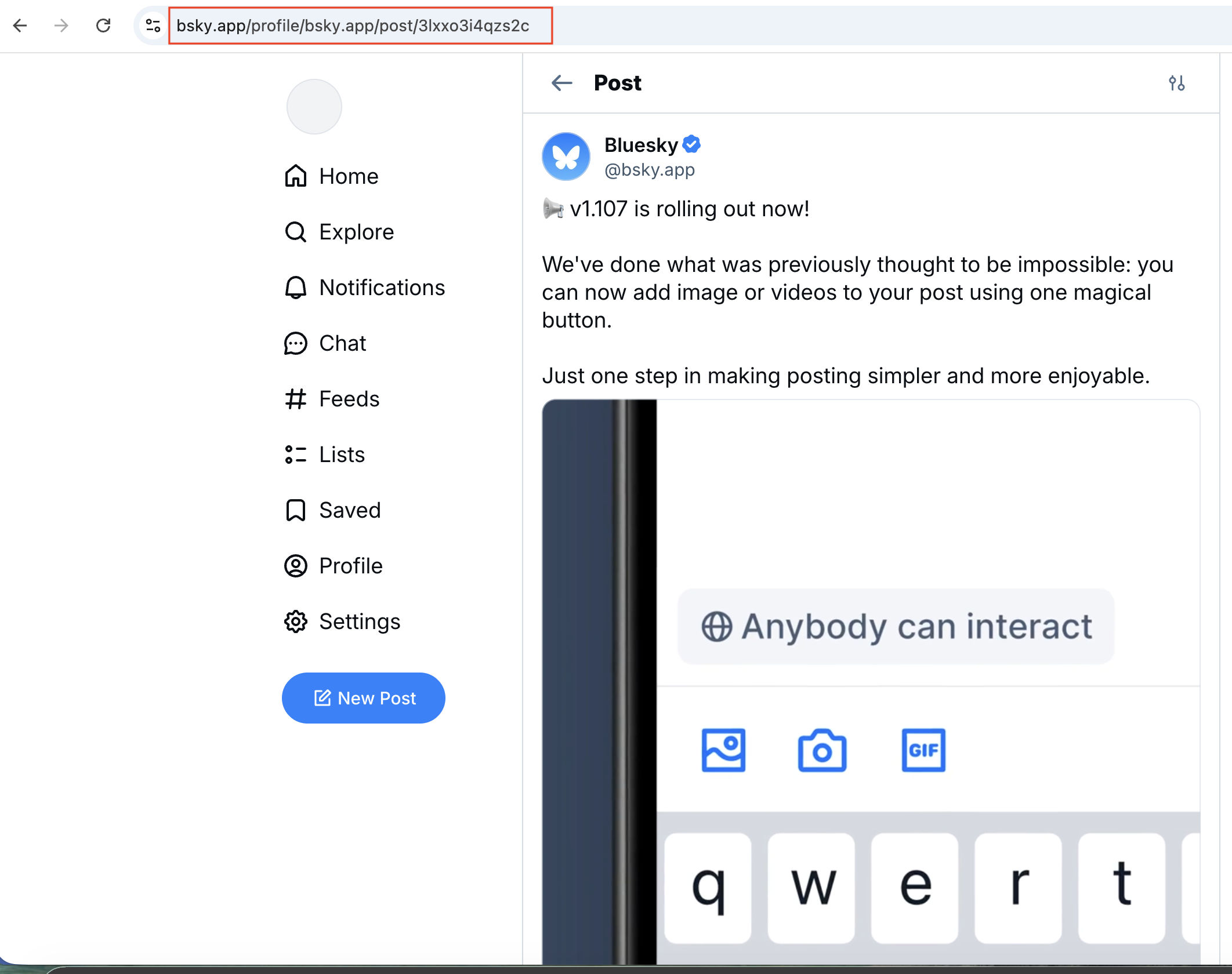
In the mobile app: tap the Share button. 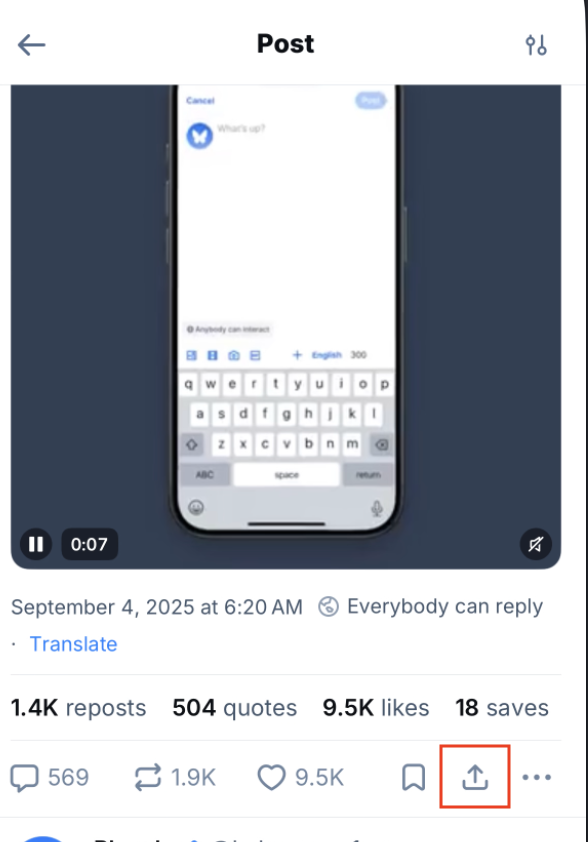
Choose Copy link to post. 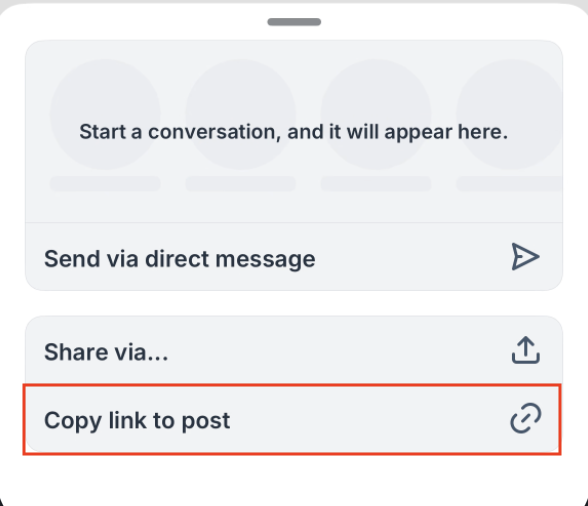
Paste the Link
Return to the homepage and paste the complete post link into the input field.
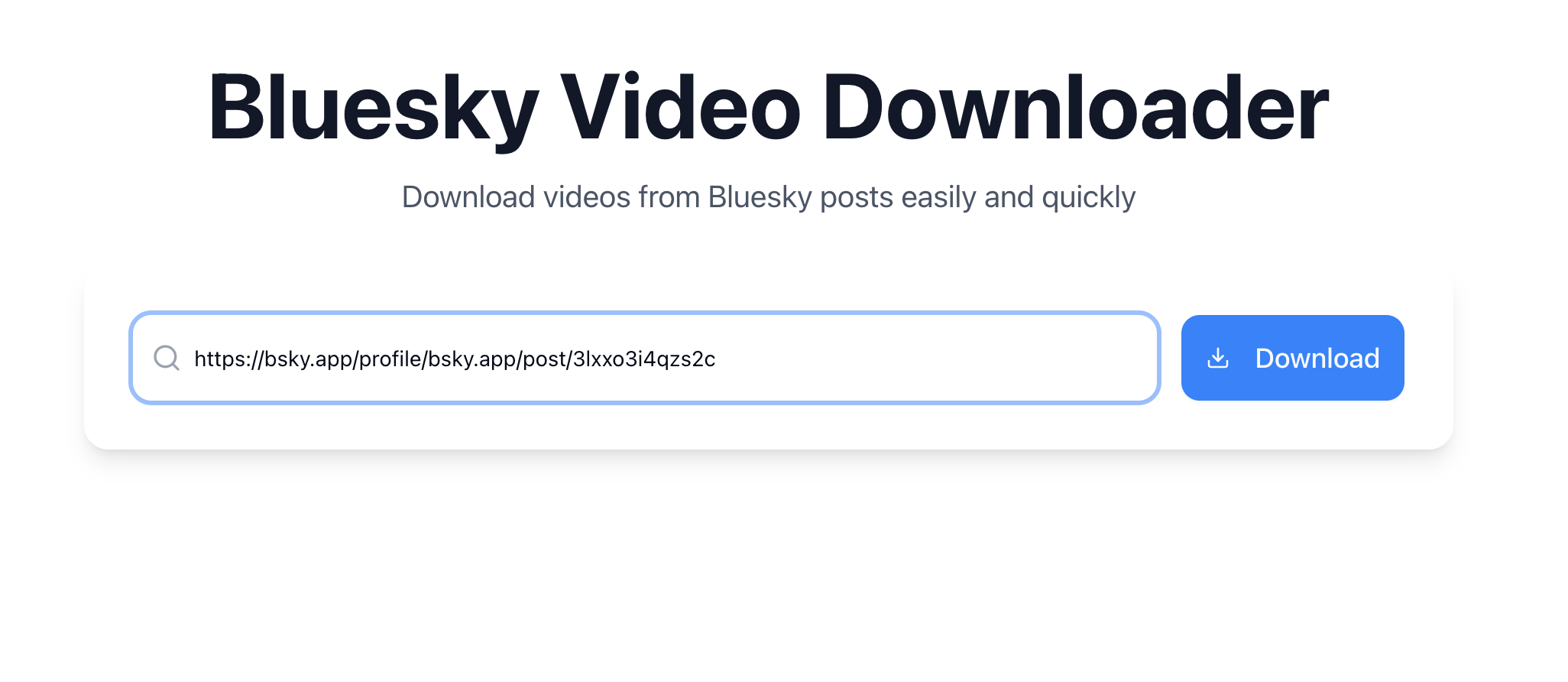
Choose and Download
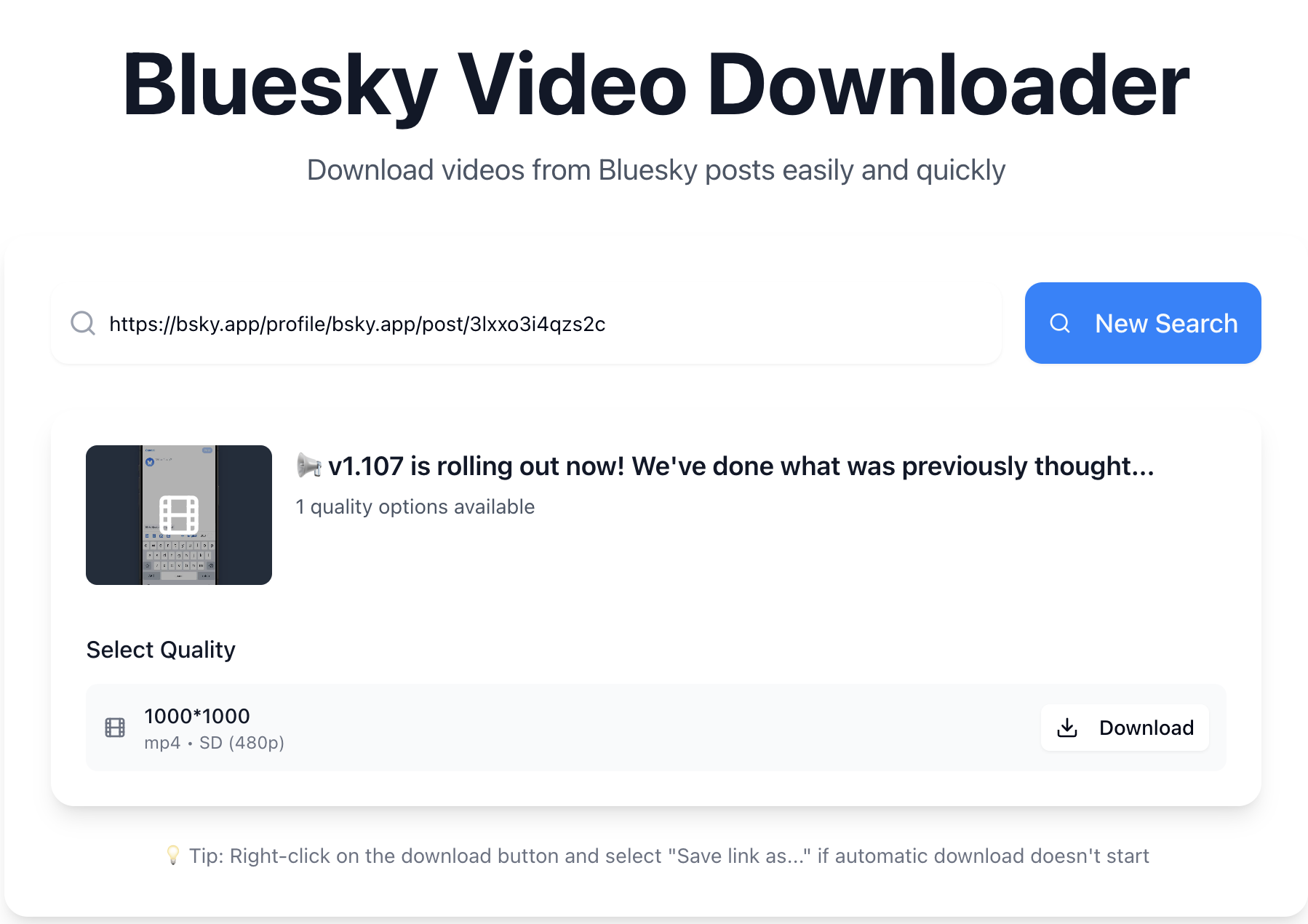
Click Download and wait for the video options to appear. Review the available quality and formats, then download the version you want.
Why Choose Bluesky Video Downloader?
Turn a public Bluesky post link into video options you can review and save.
Start with a Post Link
Paste a public Bluesky post link to find its videos and review the available download options in one place. You can compare the returned versions before choosing a file to save. Processing time depends on the media source, your connection, and service demand; deleted or inaccessible posts cannot be processed.
Use It Across Devices
Use this web-based tool on Windows, macOS, Android, or iOS to access available video options from your computer, tablet, or phone. It works in Chrome, Edge, Safari, and Firefox, with no additional app or browser extension required. Depending on your browser, the file may download directly or open for you to save.
Choose from Available Quality Options
Compare the resolutions and formats available for each video, then choose a version that suits your device, connection, and intended use. A lower resolution may suit a limited connection, while a higher available resolution can preserve more detail. Options depend on the original media; the tool does not increase its resolution or guarantee a particular quality.
Built Around Bluesky Links
The tool is designed around public Bluesky posts and the media they contain. Compatibility maintenance covers link processing and downloads as media sources and browsers change. Some links or formats may still be temporarily unavailable, particularly when the original post is no longer accessible.
Is Bluesky Video Downloader Safe to Use?
Understand what you share with the tool and how a public Bluesky link becomes a download.
No Login Required
Paste a public Bluesky post link without creating an account. We do not ask for your Bluesky password, verification codes, or account cookies.
Your Link Is Processed on Servers
Our server sends the submitted link to an external media-processing service to find and prepare available video files. The tool works with publicly accessible posts and does not bypass access restrictions.
Know What Data Is Used
Post links, IP addresses, browser information, and technical logs may be processed to operate and protect the service. Analytics and advertising services may use cookies. Read our Privacy Policy for details.
Choose the File You Want
Review the available video options, then use the download button for your chosen version. Depending on your browser, the file may download or open for you to save. Advertising links are separate from the download controls.
Frequently Asked Questions
How do I download a Bluesky video?
Paste the Bluesky post link into the search field, click Download, then choose the video quality you prefer.
Can I download private videos from Bluesky?
No. Private videos require signing in to Bluesky, and we don't support login-based downloads to keep your account secure.
Is the downloader free to use?
Yes. bskytool is completely free with no hidden fees or limits.
Do I need to sign up to use bskytool?
No. Just paste the Bluesky video link you want to save - no registration or login is required.
Why can't I download a video from Bluesky?
The post might belong to a protected account or may have been deleted, so the video is no longer publicly accessible.